
Key takeaway: Amazon S3 doesn’t scan uploads for malware, and no single scan covers every way files get in. List your entry points first, then match each to a checkpoint: before the file is stored, in storage, or on the network path.
Files in your AWS environment came there through more channels than most teams check: maybe a web form, an API, a third-party with extended access, or an internal tool. Count the ways in, then count how many checks.
Does Amazon S3 scan uploaded files for malware? No. S3 stores whatever arrives, through any of those entry points, and API Gateway and Lambda pass files along without inspecting them. So, any malware scanning in your environment exists because someone added it, and it protects only the entry point it was added to.
Here is how to use MetaDefender™ Cloud to add malware scanning to your AWS file uploads. Hint: start with a count of every way files get in: a web form, an API, a third party with extended access, an internal tool. Most teams have more entry points than scans.
Why One Scan Rarely Covers Every Entry Point
A check inside your application sees only the files that pass through your code, so it misses what a third party writes straight to a bucket. A check on storage sees those files too, including ones that skipped your code, but only after they’ve landed. A check on the network path sees only the traffic that crosses that device.
Every checkpoint covers some entry points and leaves others, so the right setup derives from your list of ways in.
Step 1: List Every Way Files Get Into S3
Open your architecture diagram and mark each place a file can enter. Then ask three questions about each one.
- Does the file pass through a channel you own?
- Does it go straight to storage?
- Does it cross a device first?
Some files come through a web form, an API, or a Lambda function. Your application handles them before anything is saved, so a scan before the file is stored can see them.
Others go straight to storage, so the only place to check those files is in storage. The rest cross a network device first, such as a load balancer, a proxy or a managed file transfer system. A scan on the network path can see that traffic and intercept files for scanning.
Most environments have entry points in more than one group, and each group needs its own checkpoint.
Let's look at how MetaDefender Cloud can create those checkpoints.
Step 2: Put a Scan at Each Entry Point
Your application sends each file to MetaDefender Cloud Prevention API and acts on the verdict. Write the file to S3, quarantine it, reject it, or store the sanitized copy instead. Call the API from a Lambda function or any backend service. It’s SaaS, so there’s nothing to deploy.
Here is what happens to the file on the way through.
- Metascan™ Multiscanning runs it past +20 antivirus engines. Engines have different ways to identify threats, and that difference is useful: what one misses, another can catch.
- Deep CDR™ takes supported files apart (200+ file types) and rebuilds them without active/ potentially harmful content. The file stays usable. Deep CDR doesn’t have to recognize a threat to remove it, which matters most with new malware threats, which can’t be yet recognized by AVs.
- MetaDefender Aether™ runs a suspicious file in a controlled environment and observes what it does. Some malicious behavior only shows up when the file runs, specially for sophisticated threats.
Entry Points You Don’t Control: Scan in Storage
MetaDefender™ Storage Security Cloud scans files in Amazon S3 and other supported cloud storage solutions. You can run it in real time, on demand, or on a schedule.
It works at the storage layer, covering files that never went through an API call. A third party’s direct upload lands in the same bucket as everything else, and this checkpoint inspects it too. Scheduled scans re-check content you already hold.
It covers files in storage, whichever way they got there. The verdict arrives once the file has landed.
Entry Points Behind Network Devices: Scan on the Network Path
Some files cross a load balancer, a proxy, or an MFT system before they reach your application. If that device uses ICAP, MetaDefender™ ICAP Cloud plugs in there, and there’s no REST integration to write.
If you’re building scanning into your own code, whether a custom app, a Lambda function or a backend service, the API is the better match, because your application submits each file to the API explicitly.
What Does GuardDuty Malware Protection for S3 Offer?
If you’re looking for a fully native, low-setup option, and your only entry points are limited to objects landing in S3, GuardDuty Malware Protection for S3 can be a reasonable scanning option. On the other hand, if you want to embed file scanning in apps’ logic, need broader coverage, or you want to go beyond malware detection to include sanitization, MetaDefender Cloud might serve you better.
|
GuardDuty Malware Protection for S3 |
MetaDefender Cloud |
|
|
Scope |
Amazon S3 objects only |
Any application or workflow via REST API; not limited to S3 |
|
Detection engines |
Two: an AWS-built engine and a third-party vendor engine, plus YARA/heuristic and ML-based detection |
20+ commercial anti-malware engines (multiscanning) |
|
File sanitization |
Not included; detects and flags/tags malicious objects |
Deep CDR reconstructs files from safe components, in addition to detection |
|
Trigger model |
Automatic on new S3 object uploads (PutObject, POST Object, CopyObject, CompleteMultipartUpload) |
Called explicitly via API from your application code, at whatever point in your workflow you choose |
|
Object size limit |
100 GB per S3 object |
1 GB + Enterprise tier |
|
Procurement |
Native AWS feature, billed through your AWS account based on data scanned |
Separate commercial contract via AWS Marketplace Private Offer |
Which Checkpoints Does Your Setup Need?
Go back to your list of entry points and match each one to a checkpoint.
If files pass through your own code and you want them checked before they’re stored, start with MetaDefender Cloud’s Prevention API. The same goes if you want a sanitized file back and not only a verdict, since Deep CDR rebuilds the file from safe components.
If files reach storage by routes outside your code, or are already sitting in your buckets, start with MetaDefender Storage Security Cloud. It checks files in storage whichever way they got there. If files cross an ICAP-enabled device, MetaDefender ICAP Cloud is the match.
Many setups have entry points in more than one of these groups. In that case, use Prevention API where you control the path and Storage Security for everything that lands in storage.
One exception: if everything you care about lands in S3 and you want a fully native option, GuardDuty Malware Protection for S3 fits.
How to Get Started with MetaDefender Cloud’s Prevention API
- Review the MetaDefender Cloud Prevention API listing on AWS Marketplace for current pricing and terms
- Contact OPSWAT sales (apn-sales@opswat.com) for a custom Private Offer quote
- Integrate via the REST API using OPSWAT's documentation and sample code
Explore MetaDefender Cloud
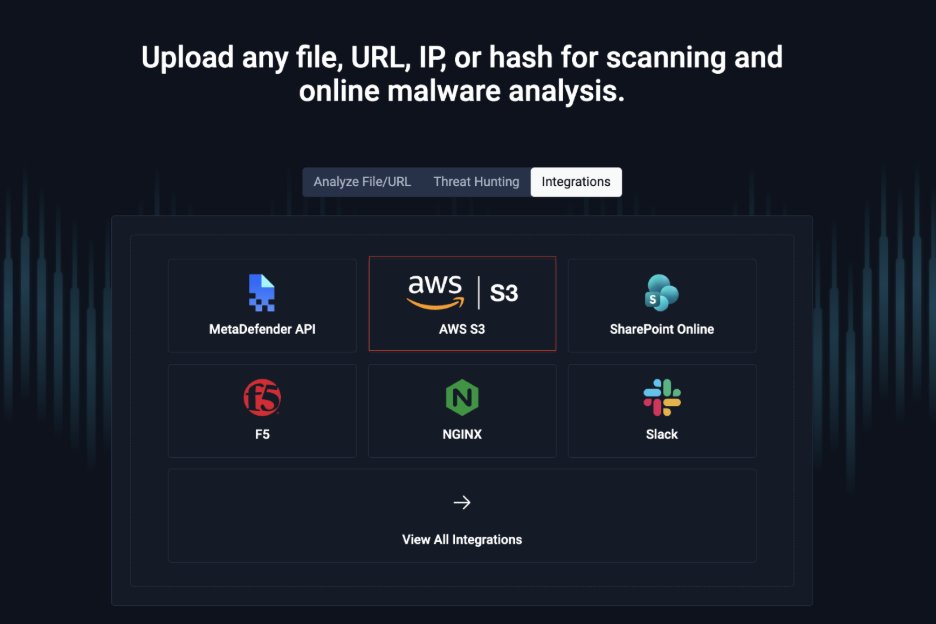
The free tier (Community) is available at metadefender.com and you can use it to explore the AWS S3 integrations within its limits: connect your buckets with AWS credentials and watch it work. You can access it here.
When you’re ready for production, the Enterprise tier is on AWS Marketplace as a separate, contract-based option. Review the Prevention API listing for current pricing and terms, or talk to an expert for a demo/ custom quote. Capabilities and licensing differ by product, so check each product’s documentation and Marketplace listing for current details.